
Create a collection
Collections let you group file references for easy viewing and sharing, even if they are stored in different folders. Collections are user-specific, and each user has their own.
Add a single file or folder to a collection
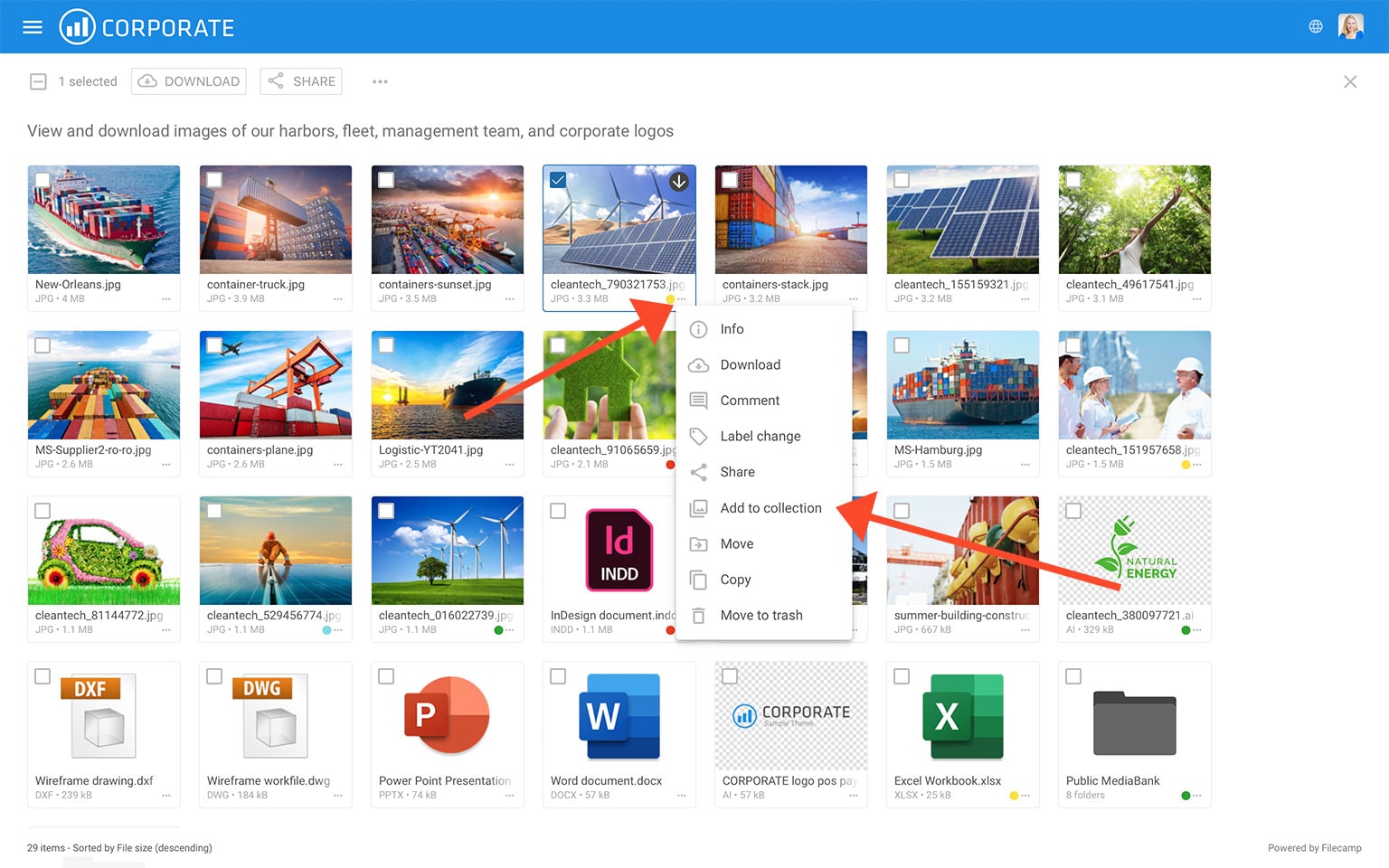
To add a single file or folder to a collection, click the Three Dots Menu  below the thumbnail and choose
  Add to Collection.
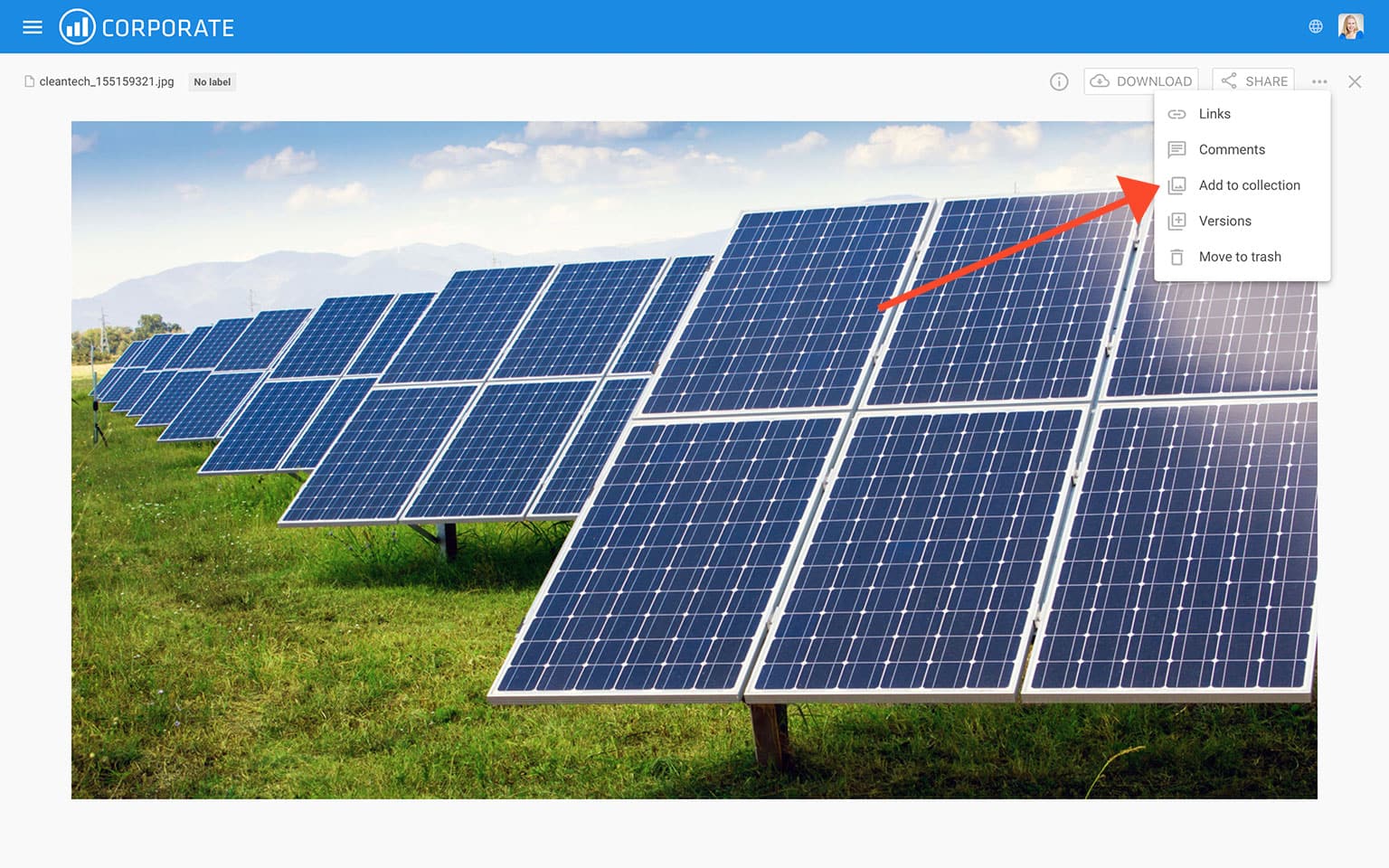
Add a single file to a Collection (from large preview)
To add a single file to a Collection, you can click on the in the Toolbar and choose Add to Collection.
Add multiple files and folders to a collection
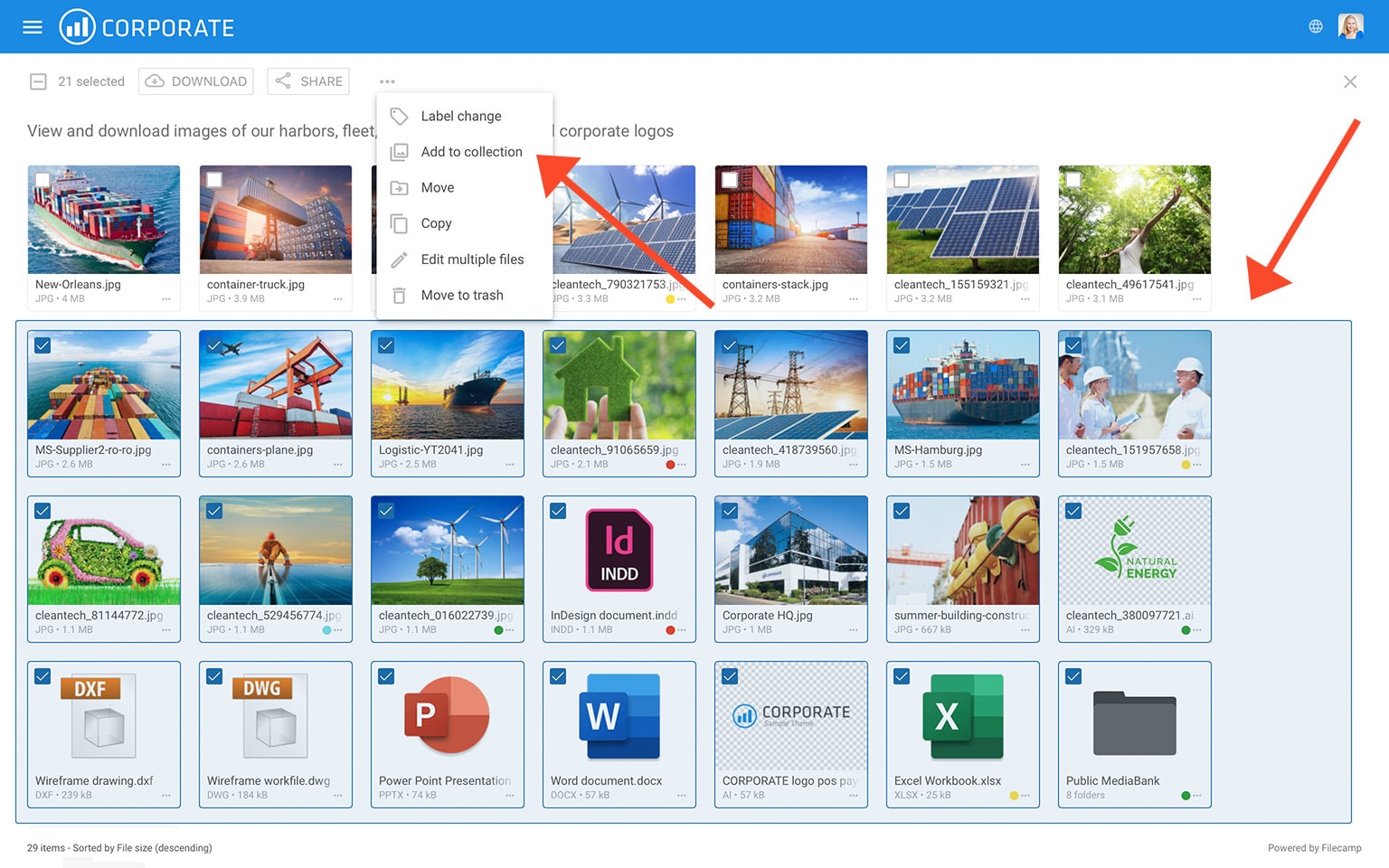
Select the files and folders you want to add to a Collection. Then choose the Add to Collection option in the Bulk Action Bar.
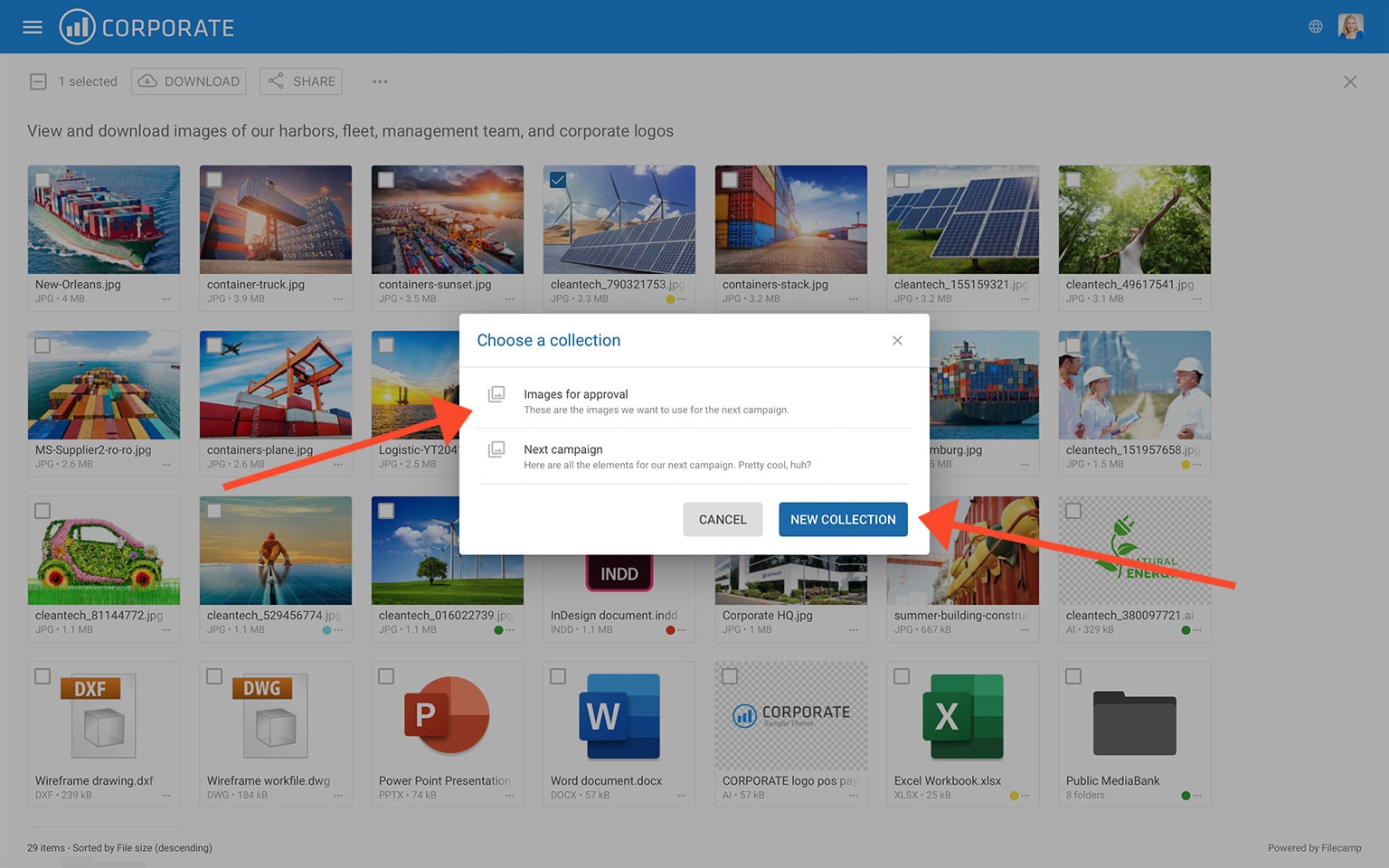
You can either select an existing Collection or click the NEW COLLECTION button.
If you select an existing Collection, the selected items are added to it instantly.
To create a new Collection, click the NEW COLLECTION button. Enter a name and click Create.
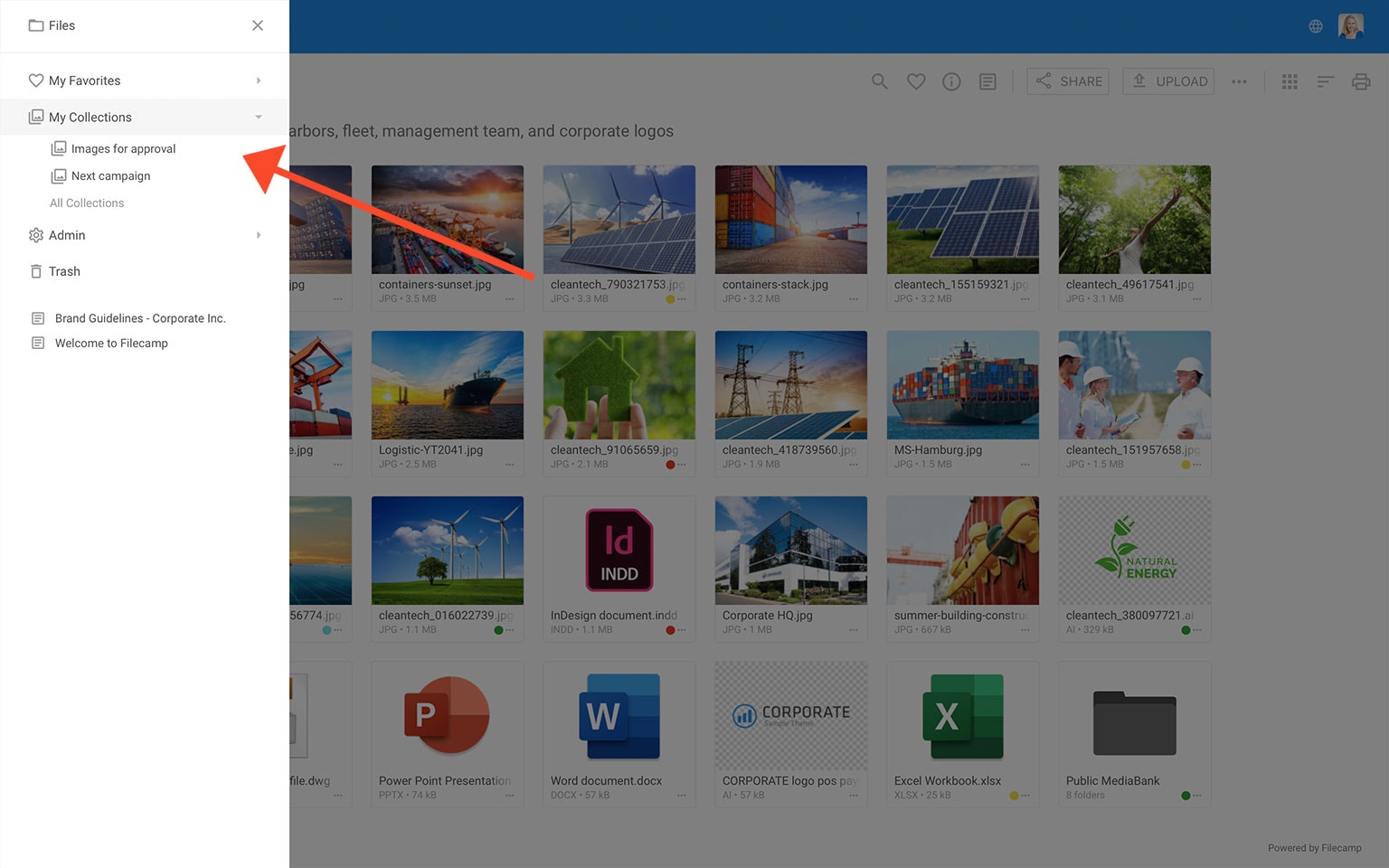
The Collection is now available in "My Collections" in your Main Menu , where it can be viewed, shared, and edited.
The main differences between Folders and Collections
Folders

- You can upload files to folders. Read more.
- Files in folders are original files and therefore take up storage.
- Folders can be shared via shared links.
- Folders can be shared with other users, and you can set detailed permissions for each folder.
Collections
- You cannot upload files to Collections.
- Files in Collections are references to the original files and do not take up additional storage.
- Collections are personal.
- Collections can only be shared via links. Read more.
Note: You cannot upload files to a Collection. Files in Collections are only references to the original files. Therefore files need to be uploaded into folders.
Example use cases for Collections:
- A user adds images and data sheets for three different products to a Collection and shares a download link with an agency.
- A graphic designer selects a few images for a new product brochure and requests feedback from the art director by inviting them to collaborate and comment.
- A salesperson creates a Collection of frequently used customer logos for quick access.
- A marketing team collaborates on a set of images, commenting and deciding which assets to use for a project.